
This post was most recently updated on August 1st, 2016
 While there’s many place to find what’s trending online, I’m going to share with you my favorite 4 Ways To Spot Trends For Your Blog – And How To Use Them.
I think every single platform you can think of has a way to spot trends within its own community.
That’s because all these platforms want to improve engagement.
They want people talking.
The best way to get them talking to each other is to show them what the hot topics are, and let them get involved.
I don’t care if your favorite place to hang out is Facebook, LinkedIn, Reddit, Warrior Forum or any place else… there is a way to locate the trending topics there.
If you’re blogging about one of those topics, then you certainly want to bring some of that hot and trending conversation to your own blog, don’t you?
If the topic social sites on the internet are focusing on them, shouldn’t you be too?
I’ll talk about how to use hot topics in a bit, but first let me show you how to find them.
4 Ways To Spot Trends For Your Blog
Now, these are certainly not the only way to spot trends for your blog.
There are countless places to go to spot trends, and it’s a good idea for you to explore some of these, especially as they relate to your own niche and sub-niche.
As with everything bloggers do, the more targeted your action is, the closer you’ll get to your target audience.
Spotting trends is no different.
However, a hot topic is still a hot topic, no matter what your niche.
Special: FREE Guide… 4 Things I Did To Build My Blog Using Only Free Traffic
So think broadly here for a bit and see what how you can make use of the hordes of traffic rushing to trending topics.
Here’s my favorite 4 ways to spot trends.
It should come as no surprise that Google is probably the top spot to spot trends for your blog.
Here’s the place to go find out what Google trends are.
https://www.google.com/trends/

You’ll see that there is a drop down menu which I opened in the above image. It shows you categories of trending topics. When I open, for instance, “Top Stories,” I see these…
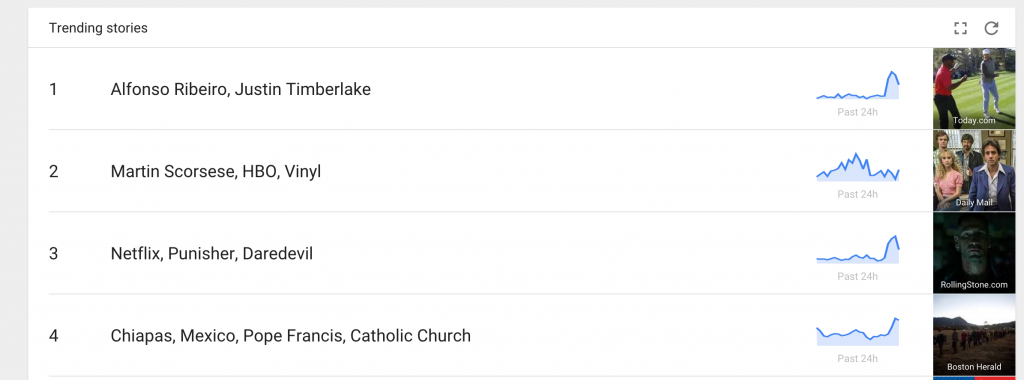
If you open “All Categories” you’ll get a mix of everything. That’s what I’ll usually do and just decide for myself what I do or do not find interesting.
By the way, it’s not important that you know anything at all about these trending topics, only that you get in front of the very wide audience of folks who do.
I’ll talk a bit more about that later.
YouTube
Even more than Google, I love finding the trending topics on YouTube.
There are two ways to do this.
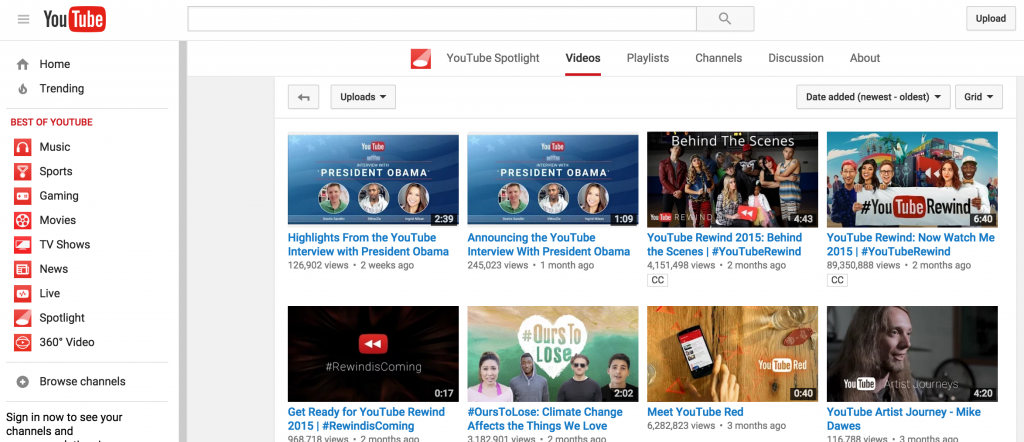
You can just go to the main YouTube “Spotlight” page…
https://www.youtube.com/user/YouTube/videos
Notice, on the left side bar, you need to select “Trending.”
Then, in the center drop down menus, you can choose what you want to see. I generally click on “Videos” because that’s what I’m most interested in.
Now, you’ll see the top trending videos along with the number of views, and how long the video has been up.
I actually find it is far more useful to go to the YouTube feed itself, instead of the Spotlight.
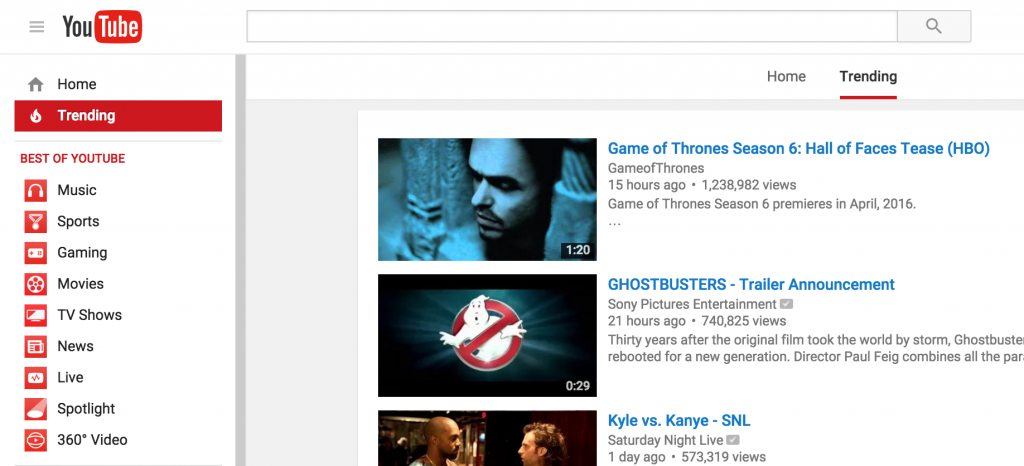
https://www.youtube.com/feed/trending
Again, you click “Trending” in the left side bar, and again in the drop down menus and you’ll see much more viral activity, and more recent, too.
I’m not sure why that is, but I always get better results using this method.
Twitter is another great place to spot trends for your blog.
You can go to the main Twitter site, and find what’s hot.
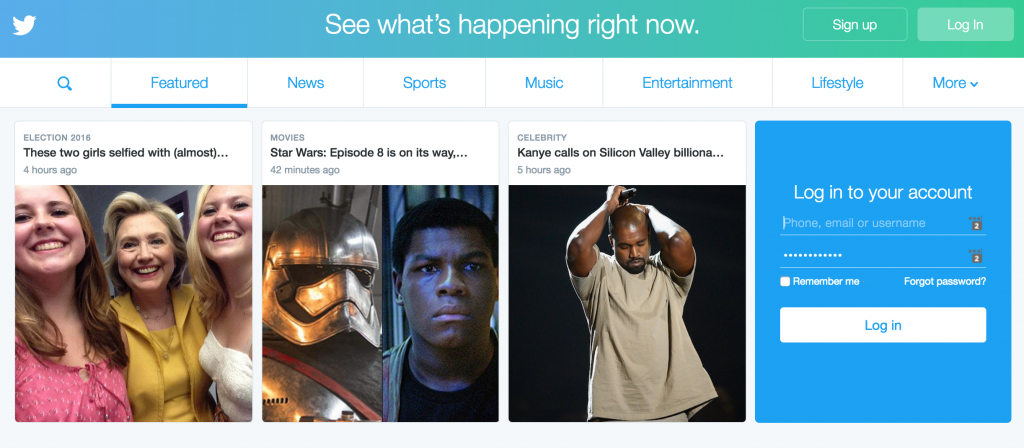
Again, though, like with YouTube… you’re probably best to just go to your Twitter home page.
Simply log in to your own Twitter account and find the trending topics on the left hand side of your main page.
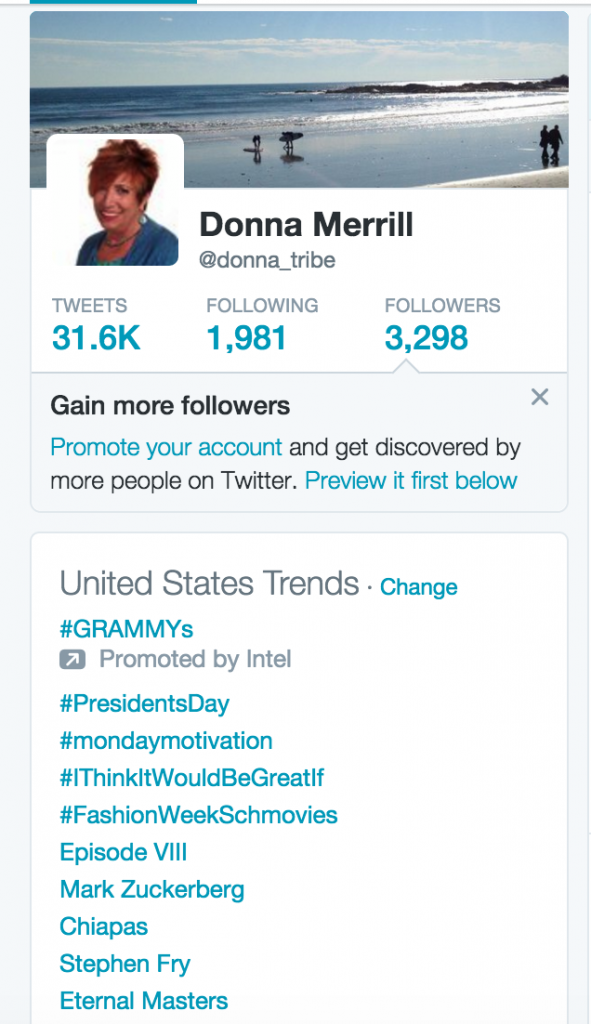
This will give you a great idea of what to Tweet about, and what hashtags to include in your Tweets.
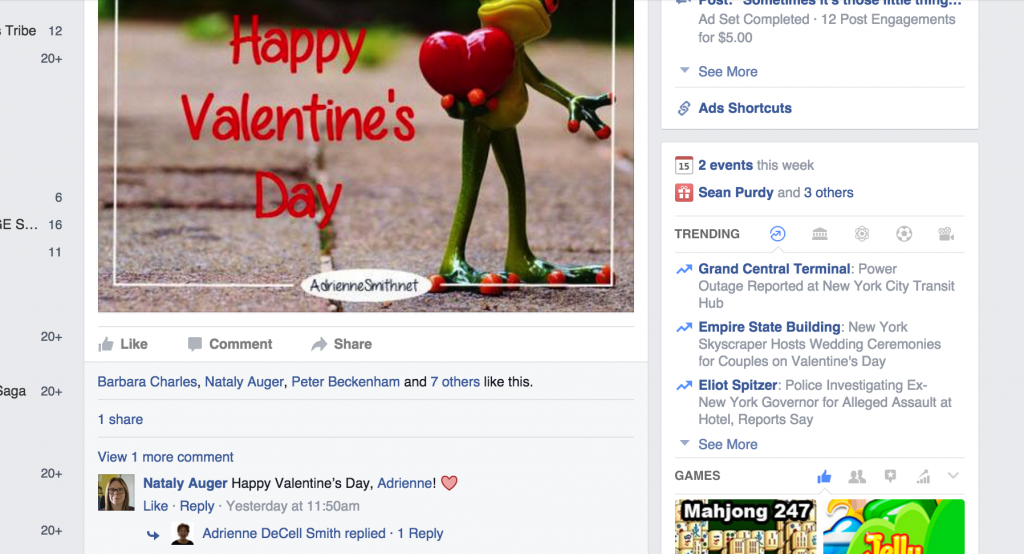
Of course, Facebook is also a great place to find trending topics.
Simply go to your timeline, and in the right sidebar and look for “TRENDING.”
Under that heading, you’ll be able to spot trends that might fit in with your blog.
Be sure to click to “See More” at the bottom of this short list in order to get a much larger, full range of hot topics.
4 Ways To Spot Trends For Your Blog – And How To Use Them
Trending topics are excellent starting points for attracting new readers to your blog.
But it’s not just about writing blog posts on hot and trending topics.
One of the better ways to use these hot trend topics is to locate other blogs, Facebook groups or pages, forum threads and the like where the trending topic has come under the microscope.
When you find people talking about it, tossing around opinions, even arguing about some of the finer aspects of the topic, then you’ve found an audience.
This is where you step in and get involved in the conversation.
Give your opinion.
Ask questions.
Give tips and advice wherever it fits into the conversation.
Don’t try to steal the show.
Respect everyone’s opinion and thoughts on a topic, and if you disagree say things like “yes, I see what you’re saying. I also think…”
This is a much better approach then something like “no, you’re totally wrong about that. This is the way I see it…”
Remember, you want to use trending topics to build a following, not make enemies.
Now, when you find trending topics on YouTube, Twitter, Facebook and elsewhere, keep in mind that those are the topics trending on those platforms.
So, just because a music video is trending on YouTube, it doesn’t mean it’s trending on Facebook.
Special: FREE Guide… 4 Things I Did To Build My Blog Using Only Free Traffic
If you’re trying to traffic to your blog from Facebook, then get involved in Facebook trends.
Talk about them, post images or videos about them, and sprinkle in a few posts that lead back to your latest blog post on the topic.
This doesn’t mean you must write a blog post specifically about the trending topic, though.
You can write a blog post to showcase your expertise on a topic, or even a general concept related to it.
Trending Topic Keyword Hacks For Your Blog
One of the best methods for your blog is to use the keywords associated with trending topics.
This doesn’t necessarily mean that you have to write a blog post with those keywords, but you can use a blog post that is relevant to them.
So, let’s say you find a hot trending video on YouTube is “Lady Gaga Singing At Grammy’s.”
You can hack the keywords by writing a blog post called “Why Lady Gaga Singing At Grammy’s Inspired Me To …”
But you could also use the same trending topic to build blog traffic without writing a blog post specifically about the topic itself.
Using the same example, you might make a 3 minute video about overcoming fear, or attaining success.
You could title the video “Lady Gaga Singing At Grammy’s Helped Me Learn to Overcome My Fear of …” or “Lady Gaga Singing At Grammy’s Is A Great Lesson For Attaining Success.”
You can then point your video back to a blog post your wrote… not about Lady Gaga… but about overcoming fear, or attaining success.
You can use this same keyword hack method on Twitter, Reddit, or anywhere else to drive traffic back to your blog via the trending topic keywords.

Now I’ve shared my “4 Ways To Spot Trends For Your Blog – And How To Use Them.”
The strategies I’ve shared barely scratch the surface.
The key is to make them fit your blog’s theme.
How can you apply some of these ideas for your blog?
I’d love to hear some of your ideas.
-Donna


Comments are closed.